Content

Showing posts with label mobile phones. Show all posts

Pros and Cons of Android Phones

Thursday, June 16, 2011
Android is basically a software stack built especially for mobile devices that includes an operating system, middleware and key applications. Taken over by Google in 2005, today Android OS is one of the most popular operating system for mobile phones, and mobile companies all over the world are accepting Android with open arms. Recently Google promised a series of positive changes regarding Android, as the operating system is climbing the pinnacle of popularity. More than 60 Android smartphones are available in the market today and more than 100,000 models are sold on a daily basis.

Today, the Android Operating System is the world's best selling smartphone platform. It offers its users more than 200,000 apps but with the rising popularity, critics are pretty sure that it's going to cross the 1 million mark soon. Google has made a very explosive entry in the mobile market with Android and this smart move has served them very well. Today, Android smartphones also hold the honor of being the fastest selling phones in the market.
Read more »

4G vs 3G

Sunday, May 29, 2011
When a layman hears 4G or 3G phones, he is all lost and does not know, what are they. They are terms to describe different technologies, that can be used from the mobile phones. The ‘G’ stands for generation. These nomenclatures started off with the introduction of 1G phones. They are the First Generation phones, which were also called as ‘brick phones’. They were indeed the first mobile phones to have been introduced in the market. Then came the 2G aka Second Generation phones. With the introduction of 2G phones, they went on from analog to digital phones. The Third Generation or 3G mobile phones ushered in faster data-transmission speeds, due to which one could use the cell phone in more data demanding ways. It is with the speed, that you are able to stream video, audio and much more on your mobile phones. A lot of money has been spent by the various telephone companies to prove it to the common man, the importance of 3G network. The latest technology on the horizon is 4G. What are the improvements, that have gone above 3G to make the new technology? Therefore 4G vs 3G is the dilemma, that people have. Let’s find out.
Read more »

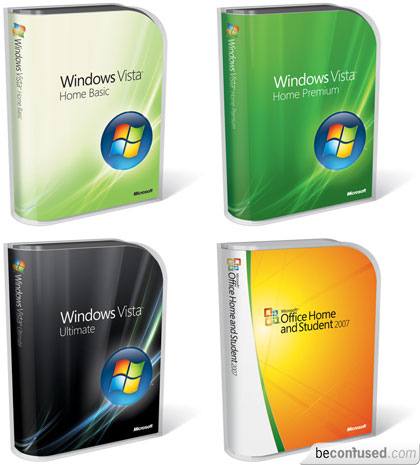
Windows Vista for Small Businesses

Thursday, May 26, 2011
Until recently, the Windows Vista operating system from Microsoft was only available to large enterprise clients. Now this desktop operating system is available to small businesses. As a small business owner, you will be happy to learn about the new capabilities that Windows Vista has to offer. Here are some good reasons to consider upgrading your small business operating system to Windows Vista:

With improved search capabilities, you just need to type in a single word to search for folders, documents, emails, and applications - regardless of where they are stored. There's no longer the need to search through layers of menus to find what you're looking for. You'll also find a simplified user interface available at your fingertips. In addition, tabbed windows in Internet Explorer 7.0 can help you navigate between web sites.

You'll find Windows Defender built in, to fight against spyware, malware and unwanted software. An improved built-in firewall makes unauthorized connection with other PCs impossible. The feature helps prevent the spread of viruses and malware. User Account Controls help lock the capabilities of your users at appropriate levels, letting power users gain the full access they need and lower-level users constrained to the level where they are the most needed. Similarly, BitLocker Driver Encryption protects your data in case of the loss or theft of your PC.

Windows SyncCenter allows better synchronization of PDA, PC, and mobile phones. The simple remote access to the wireless network cuts down on the amount of time necessary to connect from the road. Improved power management helps to increase overall system performance and battery life.

Shadow Copy allows you to store file versions automatically. You can choose key files for backup using Windows Backup Center, and indicate where to keep them along with the frequency of backup. Simply retrieve an earlier document or file version to make changes to the most recent version. Share info ad-hoc with Windows Meeting Space. When starting to work with new vendors or contractors, it isn't necessary to wait until they have access to the network to share files; just share the files that you want them to look at.

Easy deployment is possible with the integrated tool suite. Migrating the info over from an old computer is easier than ever with Windows Easy Transfer Wizard. By creating 'hardware-agnostic' images, you can save the need to create different file versions for each type of computer hardware you use.
Read more »

Labels

My Ping in TotalPing.com
Music for download

Blog Archive